

SHARE:


- Optimize your profile with relevant keywords and complete every section to improve recruiter search visibility.
- Use a clear professional photo, custom banner, and enable Open to Work so recruiters notice you.
- Craft a concise headline and engaging summary that highlight skills, metrics, and a clear call to action.
- Detail achievements in experience using STAR and metrics, list top skills first, and collect endorsements.
- Stay active: share useful posts, publish longer articles occasionally, set job alerts, and connect with recruiters.
If just one word could be used to describe the today’s job market it would be this: competitive.
But what do recruiters want?
It’s the number one question every job seeker wants answered. And when it comes to LinkedIn, the truth is simple: recruiters want clear, up-to-date profiles that show what you do and what you’re looking for.
With over 75% of recruiters using LinkedIn to search for candidates, a strong LinkedIn presence is no longer optional. If your profile is outdated or incomplete, you are missing out on job opportunities.
Optimizing for the LinkedIn Algorithm
If you want recruiters to find you, you need to show up in their searches, and that means using the right keywords and completing your profile from top to bottom.
Here’s a checklist on how to improve your visibility:
- Use keywords that match the jobs you want in your headline, summary, and job descriptions
- Fill out every section of your profile: experience, education, licenses, volunteer work
- Ask former coworkers or supervisors to endorse your skills
- Endorse others, many people will return the favor
- If you post content, include images or videos when it makes sense; just keep it real and relevant
These small steps help your profile show up higher in recruiter searches and make a stronger impression when they land on your page.
Build Out Your Profile Header Section
Add a Professional, Friendly Profile Photo
According to LinkedIn, not only does having a great profile picture give you 14x more profile views, it will also net you 36x more messages and 9x more connection requests on average.
Choose a clear, recent photo that looks like you. Use natural light, a simple background, and make sure your face takes up most of the frame.
For a strong LinkedIn profile photo:
- Use a professional headshot with good lighting and high resolution
- Choose a solo photo with a neutral or simple background
- Make sure your face takes up about 60% of the frame
- Smile genuinely to appear approachable
- Wear professional or business casual attire that fits your industry
Make sure recruiters know you’re open to work.
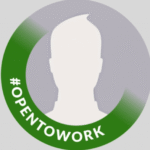
The easiest way to show up in more recruiter searches is by turning on LinkedIn’s “Open to Work” banner feature on your profile photo.
You can find it right on your profile. Just click “Open to”, “Finding a new job”, then fill in the types of roles you’re interested in. When this is on, recruiters will see that you’re open, even if you haven’t applied to their job. LinkedIn says recruiters are more than twice as likely to reach out to people who have this setting turned on.
You can also choose whether everyone can see it (with a green #OpenToWork banner on your photo) or keep it private so only recruiters (outside your company) can tell. LinkedIn does its best to hide this info from recruiters at your current company, but they can’t guarantee 100% privacy.
Uplevel Your Headline
A strong headline and summary can quickly tell people:
- What you do
- What you’re good at
- What kind of role you’re looking for
Your headline appears right under your name. You have 120 characters to make an impression, so make each word count.
You can take one of two approaches:
- Simple and specific: Use your job title and main focus.
- Descriptive and value-based: Highlight what you bring to the table.
Both work, especially if you include keywords that match the jobs you want.
Headline Examples
- Job Seeker: “Data Analyst | Open to New Roles | Growth & Insights Focused”
- Career Changer: “Former Teacher to UX Designer | Empathy-Led Problem Solver”
- Freelancer: “Copywriter for Hire | Website & Email Content That Converts”
- Executive: “VP of Sales | Builds Winning Teams | Drives Double-Digit Growth”
- Specialist: “CISSP-Certified Security Engineer | Expert in Cloud & Network Protection”
Write an Engaging Summary/About Section
This part of your profile is your opportunity to tell your professional story. To make it compelling, hook your reader with the first paragraph.
Start with a straightforward statement about the impact you wish to make. As an example:
“I help companies optimize their cloud spending and modernize their infrastructure, saving previous employers more than $2M in yearly cloud costs.”
Middle paragraphs showcase your experience and savvy.
List your main/core competencies:
- Showcase significant achievements with metrics. (See the “saved previous employers….” sentence, above.)
- Specify relevant training and certifications.
- Share how you approach problem-solving.
The call to action: your final paragraph
Your last paragraph/CTA is a great opportunity to provide clear information for recruiters/hiring managers on how to reach you and the specific types of positions you seek.
Summary Examples
Traditional Style:
I’m a data scientist with 7+ years of experience turning complex data into actionable insights. At my last job, I built a forecasting model that improved inventory accuracy by 25% and saved $400K annually. I enjoy problem-solving and helping teams make data-driven decisions. Open to new roles in SaaS or fintech.
(Tip: Companies are looking for people who solve problems and showcase ROI, so be sure to weave that in wherever possible)
Creative Style:
I used to be terrified of spreadsheets. Now I use them to find patterns, tell stories, and help teams work smarter. I’ve built churn models, led workshops, and translated complex data into clear decisions. I’m looking to join a team that values curiosity, impact, and growth.
Both styles can work depending on your industry. Choose what feels right for you, but make sure it highlights:
- Your skills and strengths
- A few key accomplishments
- What kind of work or environment you want next and how recruiters can reach you
Keep it clear, friendly, and easy to read.
Reinforce Your Brand with Your Banner Image
Create a custom banner that reflects your professional identity. Tools like Canva can help you do this quickly for free or for a minimal cost.
Some people include one or more of the following in their banner:
- Key skills
- Professional accomplishments
- A call-to-action (CTA) for recruiters
- Contact info/social platform icons
- Current company branding
Tell Your Professional Story in the Experience Section
This section should be more than just a list of past job titles. Your skills and accomplishments are what help recruiters understand the value you bring. But it’s not just about listing tasks — it’s about showing impact.
For each of your past roles:
- Start with a short overview of the company and your responsibilities in your role.
- Remember: focus on what you achieved, not just your duties.
- Use the STAR: Situation, Task, Action, Result
- Remember those metrics!
- Highlight the tech and methodologies you used in your role.
Examples
- Led 5 developers in modernizing company’s legacy systems, resulting in 40% reduction in deployment time and 98% system up time (increase from 96%)
- Grew Instagram following by 40% and boosted engagement by 2.5x in six months
Enhance Recruiter Visibility with Skills and Endorsements
Your skills are critical tools when recruiters/hiring managers search on LinkedIn. Here are some suggestions for how to optimize this section of your profile:
Feature Your Top Skills
- Place the skills most relevant to the position you seek first.
- Include your broader competencies as well as specific technologies.
- Don’t forget emerging technologies in your field in which you have experience/knowledge.
- Add the type of soft skills valued in the roles you seek.
Strategize Your Endorsements
- Update your skills list regularly.
- Ask your current and former colleagues – especially those who can verify your expertise – for endorsements.
- Reciprocate these endorsements, and do so thoughtfully.
- Think about taking LinkedIn Skill Assessments to earn badges.
Recommendations are Your Secret Weapon
The quality of the people who recommend you can boost your profile’s credibility.
Some Best Practices:
- Ask current/former supervisors and project leads for recommendations.
- Ask them to highlight specific skills and projects on which you work(ed).
- Provide them with the skills/attributes on which you’d like them to focus.
- Keep updating recommendations so that they’re relevant and recent.
Start Sharing Content
You’ve got your photo, headline, summary, and skills in place—great. Now it’s time to stay active and let recruiters see more of who you are.
You don’t have to post every day or write long articles to stand out. Just show up consistently with content that reflects your professional interests and personality.
A simple way to keep things balanced is the 5-3-2 rule over the course of several weeks:
- 5 posts that educate or add value (tips, resources, insights)
- 3 posts that show your perspective (career wins, lessons learned, challenges faced)
- 2 posts that are more personal or light (gratitude, shoutouts, fun moments)
You can also:
- Comment on posts in your field
- Join and engage in LinkedIn groups
- Tag peers or mentors when you celebrate accomplishments
- Share short updates weekly or biweekly—whatever feels manageable
If you’re ready to write a longer piece, go for it. Just be authentic, be useful, and speak to what matters in your field. Recruiters notice consistent, thoughtful activity because it helps them understand what you care about and how you think.
Go Deeper with Thought Leadership Content
Think of LinkedIn’s publishing platform as your professional microphone. Go deeper than your usual short posts and share a story about a challenge you’ve faced, lessons from a big win, or where you think your industry is headed. It’s your space to show how you think, not just what you do.
Choose topics that show how you think
Write about ideas, lessons, or experiences that reveal your expertise and approach to work. Good options include:
- Industry trends or predictions
- Problems you’ve solved and what you learned
- Frameworks or tips others can use
- Perspectives on leadership, collaboration, or growth
Avoid generic advice or company announcements. Show real thinking, not just activity.
Write like you talk
Keep your tone conversational and specific.
- Start with a clear hook or question.
- Tell a short story or example.
- End with one clear takeaway or question.
Use short paragraphs and plain language. Authenticity reads better than polish.
Match your format to your goal
Short posts (200–400 words): quick lessons, tips, or reflections.
Articles (600–1,000 words): deeper dives or frameworks.
Guides and checklists: useful when you want to teach or simplify something.
Interviews: a strong way to show collaboration or expertise—summarize key takeaways from SME conversations.
Decide where to publish
- Use LinkedIn’s article tool if you want reach within LinkedIn.
- Link to your blog if you want to drive traffic or improve SEO. Post a short version on LinkedIn and link to the full piece in the comments.
Use visuals when they add value
Include one clean, relevant image or a simple chart. Add alt text for accessibility. Only use personal photos if they connect meaningfully to the story.
Keep a realistic cadence
Consistency matters more than volume.
- One short post per week builds visibility.
- One in-depth article per month builds credibility.
- A few thoughtful comments per week expand your reach.
Before you publish
Ask yourself:
- Is the headline clear?
- Does the first line make someone want to keep reading?
- Is there a takeaway or question at the end?
- Is the text scannable?
- Does it sound like you, not a corporate template
Over time, this steady pattern of clarity and insight is what gets recruiters’ attention.
Be Proactive
Set up job alerts to stay ahead of new opportunities that match your skills and interests. You can customize how often you receive alerts and choose whether they arrive by email or through the LinkedIn app.
Also, be sure to follow companies you’re interested in. This helps you see new roles as soon as they’re posted, get a better sense of their culture and leadership, and gain awareness of any connections who already work there.
Common LinkedIn Mistakes to Avoid
Here are some of the biggest things that turn recruiters off (and how to fix them):
- Old or vague job descriptions. “Worked on various projects” doesn’t tell anyone what you did. Be specific.
- No profile photo. LinkedIn says people with a photo get up to 14x more views. Use a clear, friendly picture.
- Too many buzzwords. Words like “ninja” or “go-getter” sound fake. Focus on real skills and results.
- Keyword stuffing. Don’t just list every tool or skill you’ve ever used. Make it readable.
- No activity. If you never comment, post, or like anything, LinkedIn shows your profile to fewer people.
Fixing these doesn’t take long and can make a big difference.
Moving Your Career Forward
Your LinkedIn profile is more than just an online resume — it’s a living, breathing representation of your professional brand. With a few small tweaks and intentional updates, you can drastically improve your visibility and get noticed by the right recruiters.
Frequently Asked Questions about LinkedIn Profiles
What should I include in my LinkedIn summary?
Share what you do, what you’re great at, and what you want next. Add 2–3 proof points or results that back it up.
How do I optimize my LinkedIn headline if I’m unemployed?
Focus on your skills and expertise, not your status.
Example: “Graphic Designer | Branding & Visual Strategy | Open to New Roles.”
Is it okay to say I’m job hunting on LinkedIn?
Yes. Turn on “Open to Work” or mention it directly in your headline to make your search visible to recruiters.
How many skills should I list on LinkedIn?
Include 15–20 relevant skills. Make sure your top 3–5 are endorsed — LinkedIn prioritizes profiles with endorsed skills in search results.
Should I connect with recruiters on LinkedIn?
Definitely. Send a short, polite note introducing yourself and what you’re looking for. A little context goes a long way.
How do I get more endorsements on LinkedIn?
Start by endorsing others — and be specific about what you’re recognizing them for. Most people will return the favor.
How should I mention my notice period on LinkedIn?
If you’re still employed, keep your profile showing your current role. Once your notice period ends, update your profile to reflect your transition.
How should I describe my job on LinkedIn?
Use your experience section to highlight what you accomplished, not just what you did.
Include:
- Key responsibilities and results
- Tools or software you used
- Measurable achievements or outcomes
This section should make your impact clear at a glance.
What does it mean when your LinkedIn profile appears in search results?
It means your profile is showing up when recruiters or hiring teams search for keywords that match your skills or experience. The better your profile is optimized with relevant terms, the more often you’ll appear.
How should I respond to recruiters on LinkedIn?
Keep it professional and direct:
- Thank them for reaching out.
- Be clear about your interest level.
- Share your job search status (actively looking or open to exploring).
- Include your preferred contact details and availability (with time zone).
SHARE: